A transition state (TS) is the highest point on the lowest-energy path from reactants to products. Its energy gives the reaction barrier. Finding a TS by hand usually means building a guess structure; ScintuitionLabs builds the guess for you from the reactants and products.
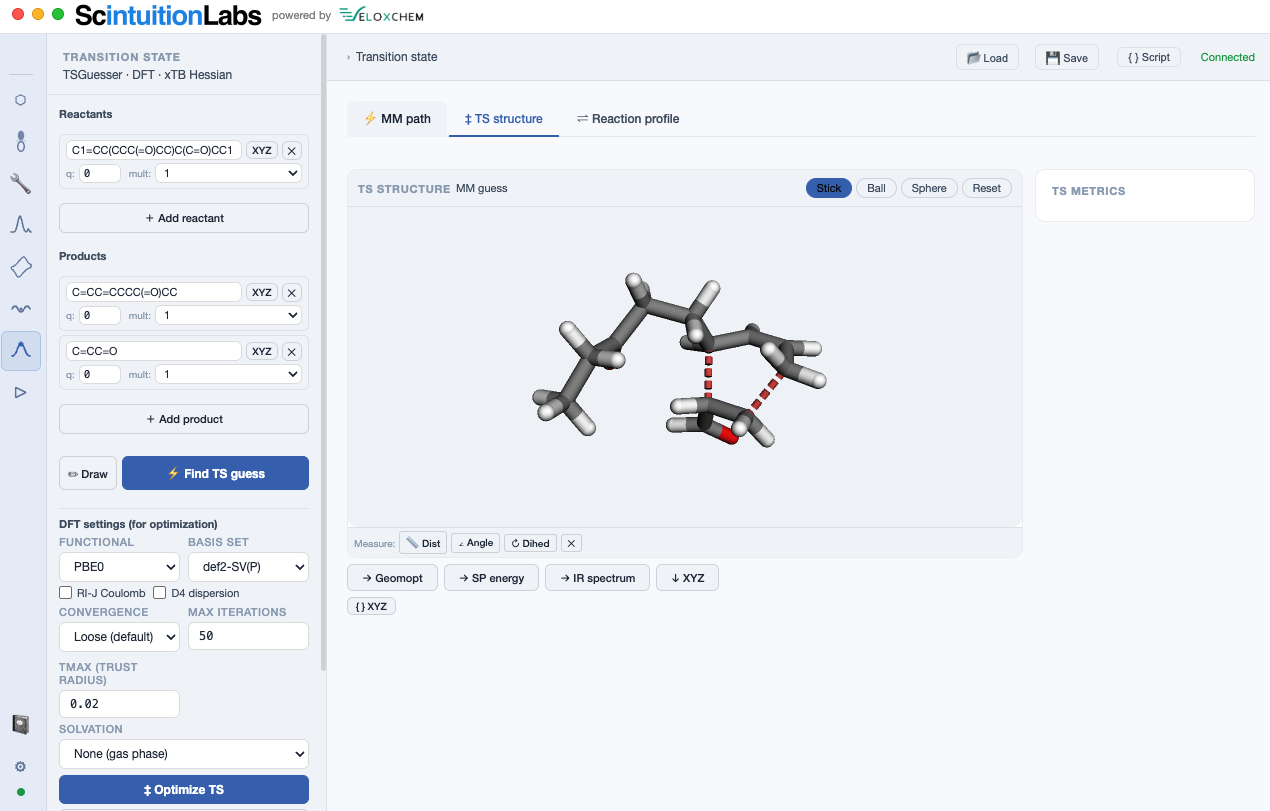
A TS guess for an intramolecular reaction. Dashed bonds are forming or breaking.
How it works¶
Guess. The VeloxChem transition-state guesser builds force fields for the reactant and the product, and moves gradually from one to the other. At each step it finds the lowest-energy structure. The highest-energy structure along this path is the TS guess. This takes seconds to minutes and needs no quantum chemistry.
Optimise. The guess is refined to a true saddle point with DFT. The optimiser needs to know which direction to go uphill: it starts from an estimate of the curvature and improves on it with every step.
Verify. A frequency calculation should show exactly one imaginary frequency, moving along the reaction.
Step by step¶
1. Reactants and products¶
Press + Add reactant and + Add product and enter each species as SMILES or XYZ, with its charge and multiplicity. Bimolecular reactions have two reactants, eliminations have two products, and so on. The atoms must be the same on both sides.
Atom mapping (which atom in the reactant becomes which in the product) is worked out for you. If it is ambiguous, or you want to force a mechanism, give the bonds yourself under Force bond changes:
Bonds to break and Bonds to form, as atom pairs, for example
1-2, 3-4Press # Show numbering to see the atom numbers, or press ↳ Pick and click two atoms in the viewer.
2. Find the TS guess¶
Press ⚡ Find TS guess. You get:
the MM path tab: energy along the path
the TS structure tab: the guess, with forming and breaking bonds dashed
Force the guess from the product side builds the path in the reverse direction. Try it if the forward guess looks wrong; the side with more bonds is often the better start.
3. Optimise the TS¶
Choose the DFT settings and press ‡ Optimize TS.
| Setting | Default | Notes |
|---|---|---|
| Functional / basis | PBE0 / def2-SVP | a GGA with RI is faster for large systems |
| Convergence | Loose | tighten for final structures |
| Max iterations | 50 | |
| tmax (trust radius) | 0.02 | maximum step size. Smaller is slower but safer |
| xTB starting Hessian | off | a more accurate, slower starting Hessian; try it if the default fails |
| Solvation | none |
4. Check the result¶
Send the optimised TS → IR spectrum, with the same functional and basis. There should be exactly one imaginary frequency. Click it to animate the mode, and check that it moves the atoms along the reaction.
5. Reaction profile¶
⇌ Optimize endpoints optimises the reactant and product at the same level, and the Reaction profile tab shows the barrier and the reaction energy.
Starting from your own TS structure¶
If you already have a TS guess, from the literature or another program, paste it under Or start from your own TS structure, or load a file (any structure format), then press ↓ Use as TS structure. The optimisation starts from it directly, with no reactant or product needed.
Optionally, give the forming and breaking bonds (atom numbers from 1, such as
3-7). Type them, or press ↳ Pick to show atom numbers in the structure viewer and
click the two atoms; clicking a listed pair again removes it. With the bonds given, the
search usually starts faster. Without them it works as before.
When the TS search fails¶
More than one imaginary frequency. The structure is a higher-order saddle point. Displace it along the extra mode and re-optimise, or tighten convergence.
No imaginary frequency. The optimiser fell into a minimum. Try the xTB starting Hessian, a smaller tmax, or the reverse guess.
The imaginary mode is the wrong motion. The guess was for a different reaction. Specify the bonds to break and form explicitly.
Conformers matter. The first TS you find is not necessarily the lowest. Premium’s TS conformational search searches for lower TS conformers automatically.