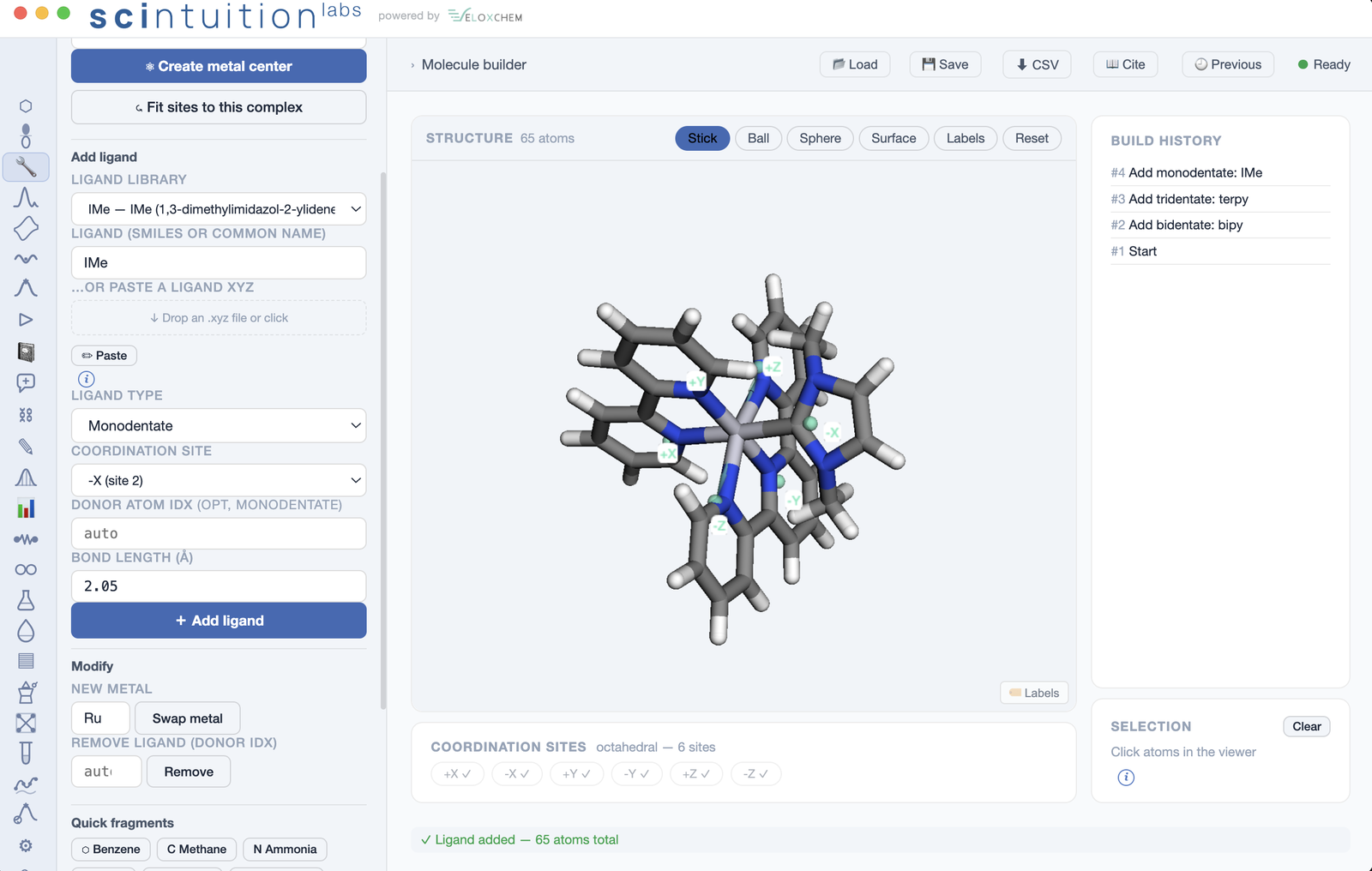
Building a ruthenium complex: bipyridine, terpyridine and an N-heterocyclic carbene placed on the coordination sites of an octahedral centre.
The builder makes 3D structures for organic molecules and metal complexes, and edits structures you already have. Every operation is undoable (↩ Undo), and the result can be sent straight to optimisation with → Opt.
Starting a structure
| Input | How |
|---|---|
| SMILES | Load from SMILES, for example c1ccccc1O |
| Name | Load from name, for example caffeine. Looked up by name, so it needs a network connection |
| File | Load from file: XYZ, Molfile/SDF, MOL2, PDB, CML, Molden, cube files, CDXML (.cdxml), and the inputs and outputs of common quantum chemistry programs. If a ChemDraw drawing holds several structures (a reaction scheme), you choose which one to load |
| XYZ | Load from XYZ, pasted |
| Drawing | ✏ Draw structure opens the structure editor |
| Quick start | the Benzene, Methane, Water, … buttons |
Use ↑ Load to open any structure file, including one produced by another module.
Organic molecules
Join two molecules. Give the attachment atom on the current molecule (click it, or type its number), a second fragment as SMILES with its attachment atom, and a bond length. ⛓ Join molecules removes a hydrogen on each side and makes the bond.
Find and replace a group. Write the group to find as SMILES with * marking where
it is attached, for example *C(F)(F)F for CF3. Give the replacement the same way, or
leave it empty to remove the group. Choose how many occurrences to replace, or tick all.
Metal complexes
Choose ⚛ Metal, type the element (such as
Pt), choose a coordination geometry (octahedral, square planar, tetrahedral or trigonal bipyramidal) and press Create metal center.Add ligands one at a time. For each:
pick one from the ligand library, or give its SMILES or common name, or paste its XYZ
choose the ligand type: monodentate, bidentate, tridentate, tetradentate or π
choose the coordination site(s) to fill
set the donor elements, or the donor atom numbers if the ligand has several candidates
press + Add ligand
Use Swap metal to change the metal, and Remove to take off a ligand by its donor atom.
Chelating ligands are placed as a whole, without splitting the ligand into fragments, so their internal geometry is kept.
Editing an existing complex. Load a complex you already have, then press ⤿ Fit sites to this complex. The coordination sites are fitted to where the current ligands are, so new ligands go into the real vacant sites rather than an idealised frame.
Charge and multiplicity
Set the charge and multiplicity of the finished structure before sending it on. For metal complexes, think about the oxidation state and spin state; see Open-shell molecules and SCF convergence.
Measuring and editing geometry
Use the Dist, Angle and Dihed tools to measure. Download with ↓ XYZ, or save a picture with 📷 Image.